Suprascribe Logo

iCloud Subscription Tracker: Find Every Subscription Hidden in Your Inbox

Suprascribe is an iCloud subscription tracker that reads the receipts, billing confirmations, and renewal notices already sitting in your Apple inbox. It connects over IMAP with a revocable app-specific password - for free, with no bank access required.

How iCloud Scanning Works

Suprascribe connects to imap.mail.me.com over TLS on port 993 with an app-specific password. The IMAP setup guide walks through generating one - it takes about a minute.

App-Specific Password - Revocable Anytime

Apple does not offer a public OAuth API for iCloud Mail, so Suprascribe connects over IMAP using an app-specific password you generate at appleid.apple.com. It grants mail access only, and you can revoke it from your Apple ID in one click.

Scans Only Subscription Emails

The scanner looks for receipts, renewal notices, and billing confirmations - not your personal messages. Unrelated emails are never read or stored.

Catches What Apple Does Not List

Settings then Subscriptions only shows what Apple bills you for. Anything charged straight to your card - Netflix, your gym, a SaaS tool bought on the web - never appears there, but the receipt landed in your iCloud inbox.

Done in Minutes

Paste the app-specific password, run the scan, and get a complete subscription list. No manual entry, no bank linking, no credit card required.

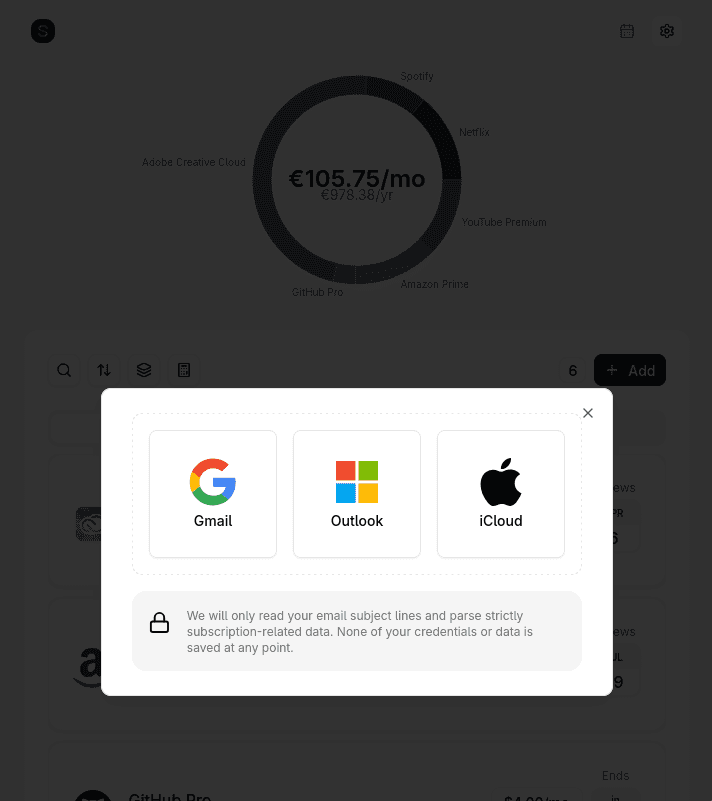
Suprascribe inbox connection screen offering Gmail, Outlook and iCloud, with a note that only subscription-related email data is read and no credentials are stored
Pick iCloud on the connection screen, then paste the app-specific password. No bank or card is ever requested.

Why Email Beats Bank Linking

Most subscription detection tools - Rocket Money, PocketGuard - require connecting your bank account via Plaid. That means handing over access to your complete transaction history to find subscriptions.

Suprascribe takes a narrower approach: every subscription generates an email receipt. Scanning those receipts produces the same result - a complete subscription list - without touching your bank account at all. Your financial data stays between you and your bank.

The iCloud scanner finds emails matching subscription patterns, then reads their subject, sender and body so the billing details can be extracted. No email content is stored. The scan is ephemeral - only the extracted subscription name, amount, and renewal date are saved.

What iCloud scanning finds

  • • Apple charges (iCloud+ storage, Apple TV+, Apple Music, Apple One, Arcade)
  • • App Store subscriptions billed through your Apple ID
  • • Services billed directly to your card, which Apple never shows you
  • • Free trials that converted to paid without notice
  • • Annual subscriptions billed once a year and easily forgotten
  • • Receipts sent to a @me.com or @mac.com address you still own

Common Questions

Still have questions? View all FAQs or contact us.

From the Blog

1 September 2026·5 min read

Cancel Apple TV+ and Apple One in 2026

Cancelling Apple TV+ is straightforward. Cancelling Apple One requires a little more care, because it bundles several services together and leaving it cancels every included subscription unless you switch to individual plans first.

Tracking Subscriptions Is Just the Start

Once you have your complete list, manage it all in one place - cancel, set reminders, and track spending over time.