
1 May 2026·7 min read
The best free subscription manager in 2026
Not all free subscription managers are equal. Some cap features, some require bank access, some charge a monthly fee to manage your monthly fees. Here is how to pick the right one.
Every "best subscription tracker" list is written by one of the apps on it. Here is the honest version: what each tool is genuinely good at, what it costs, and the trade-off nobody mentions - whether it demands access to your bank account.
Subscription trackers split into three camps, and which camp you want decides everything. Bank-linked apps connect to your accounts via Plaid and detect charges automatically - powerful, but they read your entire transaction history and usually charge monthly. Email-based tools automatically find your subscriptions from your inbox without touching your bank. Manual trackers make you type each one in, trading effort for total privacy.
For each app the three questions that actually matter: Does it require bank account access? Is it a one-time cost or a recurring fee? And how much work is it to get a complete list? Everything else - charts, calendars, categories - is secondary to those.
| Tool | How it finds subscriptions | Free tier | Pricing | Bank access |
|---|---|---|---|---|
| Suprascribe | Email scanning | Unlimited | One-time PRO upgrade | No |
| Rocket Money | Bank transactions | Yes, detection included | $7-$14/mo (pay what you want) | Yes, via Plaid |
| PocketGuard | Bank transactions | Retired in 2026; 7-day trial | $12.99/mo, $74.99/yr, $149.99 lifetime | Yes |
| YNAB | Nothing automatic - transactions only | 34-day trial only | $14.99/mo or $109/yr | Optional |
| Bobby | Manual entry | Capped | $2.99 one-time, Apple devices only | No |
| Subby | Manual entry | Unlimited, ad-supported | $2.99 one-time removes ads | No |
| Unsubby | Bank transactions | 7-day trial | $27.99 per 4 weeks | Yes, via Plaid |
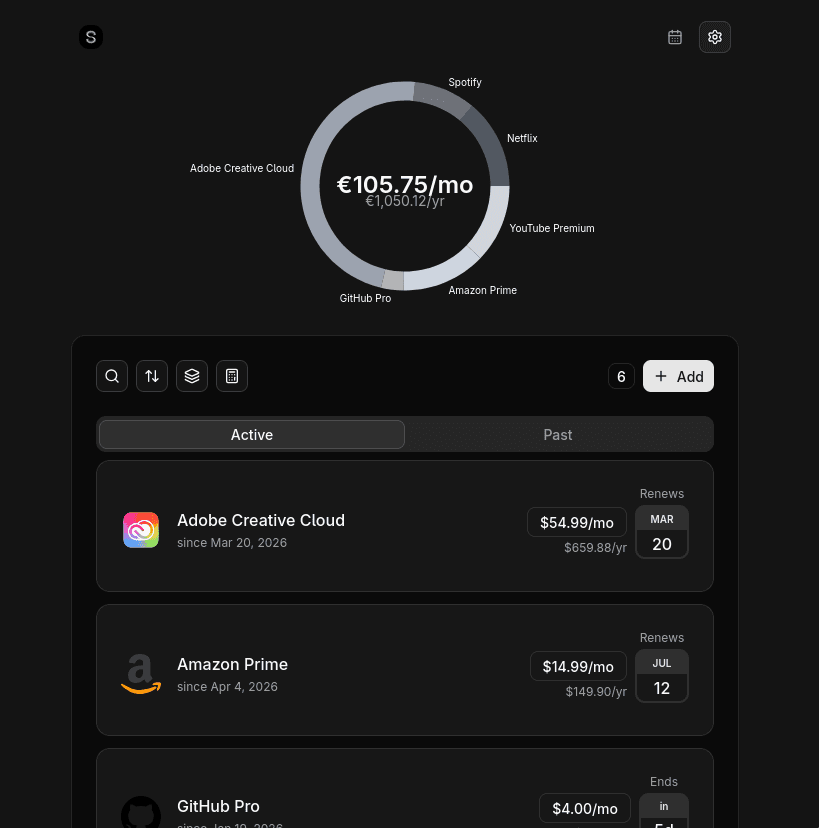
Suprascribe finds subscriptions by scanning your Gmail, Outlook, or iCloud inbox for receipts and renewal notices - the same automatic result as a bank-linked app, but it never touches your financial accounts. The free tier is genuinely unlimited (no cap on subscriptions, no credit card), and the PRO upgrade that adds email auto-discovery, renewal reminders, and a calendar view is a one-time payment rather than a subscription. It is also open source, so the privacy claims are verifiable.
Rocket Money detects subscriptions automatically from your bank feed and will even negotiate bills or cancel on your behalf. It genuinely works. The trade-offs are the reason people look for alternatives: it needs full transaction-history access via Plaid, it is a broad finance app rather than a focused tracker, and the premium tier is a recurring monthly fee.
Rocket Money is one of the most capable bank-linked finance apps available. Its subscription detection is genuinely useful and included on the free tier, which lowers the barrier to getting a first audit done. Where it really stands out is the breadth of the product beyond tracking: bill negotiation, cancellation concierge services and broad budgeting features give users a single place to manage much of their financial life.
For people who want a full-service money app and are comfortable linking their accounts, Rocket Money offers a lot of value. The cancellation concierge in particular saves time on services that otherwise require phone calls or chat queues to leave.
PocketGuard is a full budgeting app on iOS, Android, and web that auto-detects subscriptions from linked accounts. It is the most feature-rich of the bank-linked tools and offers a lifetime option alongside its subscription plans. But subscription tracking is a side feature of a bigger product, and like Rocket Money it needs Plaid or Finicity access to your accounts.
PocketGuard is the most feature-rich of the bank-linked options. It is available on iOS, Android and web, auto-detects subscriptions from connected accounts, and wraps everything in a full budgeting experience with spending insights and bill negotiation. The lifetime purchase option is also a real differentiator for users who would rather pay once than commit to another monthly subscription.
If you want a broad financial dashboard and do not mind bank linking, PocketGuard covers a lot of ground. Subscription tracking sits naturally inside a bigger picture of income, bills and spending goals, which is exactly what some users are looking for.
YNAB is a powerful budgeting system with a devoted community. If you want to manage every dollar, it is excellent. But if your only goal is tracking subscriptions, you are paying about $109 a year and learning a whole methodology to use a fraction of the tool.
YNAB is the strongest choice for people who want a complete budgeting system rather than a narrow tracker. Its zero-based, give-every-dollar-a-job methodology has helped a large community change how they think about money, and the company backs that methodology with excellent educational content. The reporting is detailed and flexible, and the app is available on the web plus all major mobile platforms.
If you are serious about budgeting and want subscriptions to sit inside a bigger financial plan, YNAB is hard to beat. It is overkill for tracking alone, but that is because it was built for a much larger job.
Bobby is a long-running, beautifully designed Apple tracker with Apple Watch support and a cheap one-time unlock - $2.99 for the All-in-one Pack, or $0.99 just to lift the subscription limit. It is fully manual and Apple-only, so it is ideal if you live in the Apple ecosystem and do not mind entering subscriptions yourself - but the free tier is capped until you pay.
Bobby has been a benchmark for Apple-only subscription tracking for good reason. The design is polished and consistent across iPhone, iPad, Mac and Vision, and the Apple Watch support means renewal information is glanceable in a way most trackers cannot match. The spend overview charts are clear without being overwhelming, and the one-time unlock pricing is refreshingly honest.
If your devices are all Apple and you prefer entering subscriptions yourself, Bobby delivers one of the nicest manual-tracking experiences available. It proves that a simple tool done beautifully can compete with much larger finance apps.
Subby offers a genuinely unlimited free tier (ad-supported) with a clean, simple interface. It is honest and cheap. The limits: it is mobile-only and fully manual, so you do the work of finding and entering every subscription.
Subby is one of the most honest free trackers available. The interface is simple and uncluttered, the unlimited free tier is genuinely unlimited rather than a teaser, and the small one-time purchase to remove ads is priced fairly. It is a great fit for anyone who wants full manual control over their subscription list without signing up for yet another recurring service.
For a lightweight, no-surprises mobile tracker, Subby does exactly what it promises. It is particularly appealing to Android users who want a clean app that stays free as long as they are willing to tolerate a few ads.
Unsubby pairs subscription detection with a service that mails cancellation letters to providers on your behalf - useful for the services that make leaving deliberately hard. But it detects subscriptions through a Plaid bank connection, and after a 7-day trial My Unsubby premium is $27.99 every 4 weeks, covering up to five cancellations in that window.
Unsubby solves a real problem that most trackers leave to the user: actually getting out of a subscription. Its cancellation-letter service supports more than 1,500 services, which is invaluable for providers that make leaving deliberately difficult. The Plaid-based auto-detection gives users a starting list without manual entry, and the budget planner with spending insights and billing notifications helps keep the picture current.
With over 27,000 Trustpilot reviews, Unsubby has clearly built trust with a large audience that values hands-off cancellation help. If your main pain point is the hassle of cancelling rather than the discovery of subscriptions, its approach makes a lot of sense.
Start with the bank-access question, because it eliminates half the field instantly. If you are comfortable linking your bank and want budgeting too, Rocket Money or PocketGuard are the strongest. If you want the automatic list without exposing your transaction history, an email-based tracker like Suprascribe gives you the same outcome with far less access. If you want maximum privacy and do not mind manual entry, Bobby (iPhone) or Subby (Android) are clean choices.
This is the hub for the topic. Each guide below covers one service or platform in detail.
Not all free subscription managers are equal. Some cap features, some require bank access, some charge a monthly fee to manage your monthly fees. Here is how to pick the right one.
The fastest way to find every subscription you are paying for is to let a scanner read the receipts already sitting in your inbox. Here is how automatic discovery works, and how it compares to doing it by hand. No bank connection is involved - every subscription you have ever started sent you a receipt, so the record you need is already in your email.
A streaming service here, a cloud backup there - individually small, collectively significant. Subscription fatigue is real, and the fix starts with a proper audit.
Still have questions? View all FAQs or contact us.